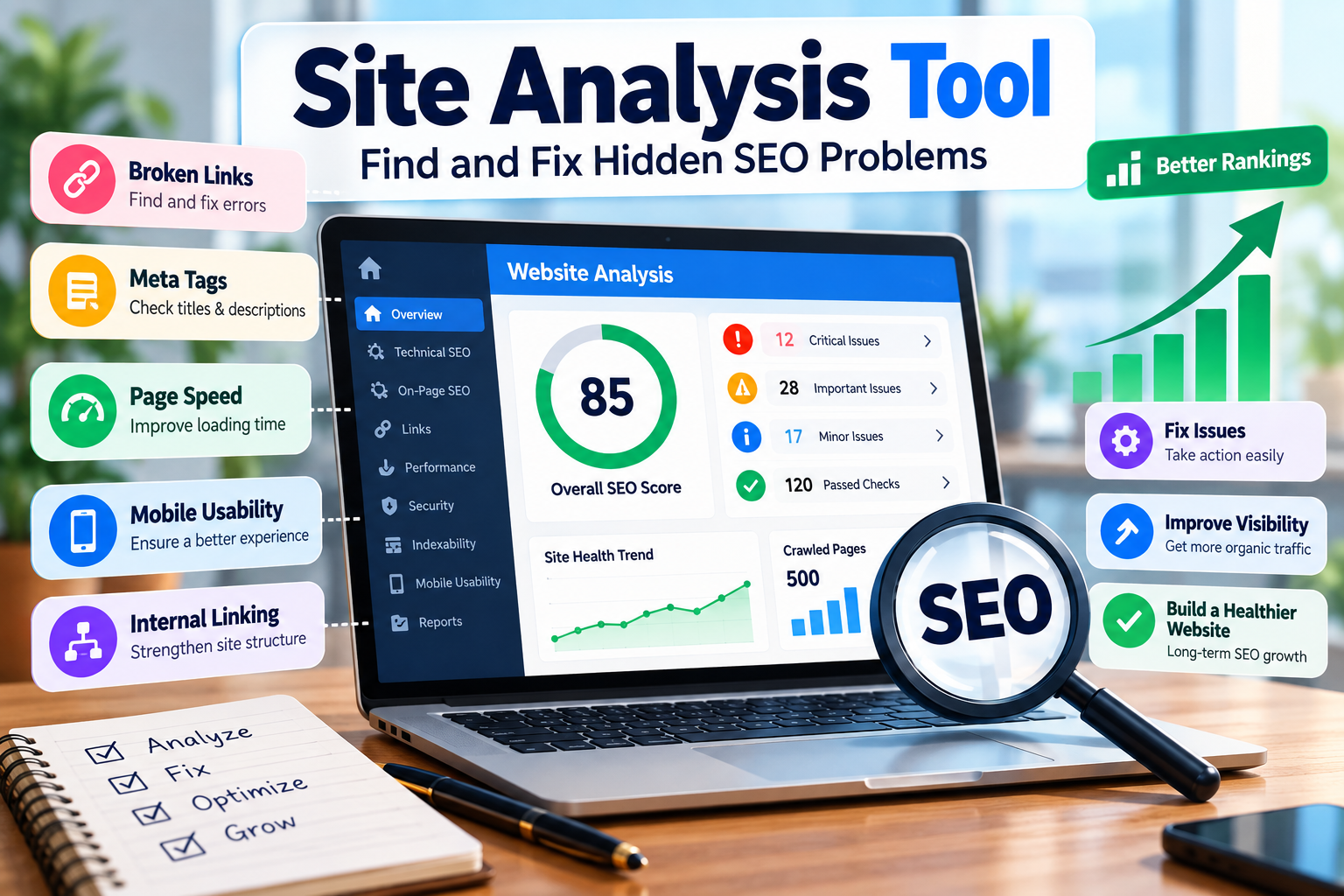
Discover how a site analysis tool can uncover technical, on-page, and structural SEO issues and help you create a healthier, more search-friendly website.
Why Your Website Needs More Than a Visual Check
A website can look perfectly fine to a visitor and still have serious SEO problems working behind the scenes.
You may have a professional homepage, attractive design, working menus, and useful content. But that does not necessarily mean search engines can crawl, understand, and index every important page correctly.
Problems such as broken links, duplicate pages, missing metadata, poor internal linking, indexing restrictions, slow resources, and incorrect redirects can easily go unnoticed during normal browsing.
This is where a site analysis tool becomes useful.
Instead of checking hundreds of URLs manually, you can use an SEO audit to get a broader picture of your website and identify areas that need attention.
Websites Change More Than You Think
SEO problems don't only appear when a website is poorly built.
They can develop after:
- Publishing new pages
- Removing old content
- Changing URLs
- Installing plugins
- Updating a CMS
- Uploading large images
- Changing hosting
- Redesigning a website
- Adding redirects
- Restructuring navigation
That is why a website that was technically healthy six months ago may have completely different problems today.
A regular site analysis online can help you catch those changes before they become bigger SEO or usability problems.
What Does a Site Analysis Tool Actually Do?
A site analysis tool is an SEO auditing solution that scans different parts of a website and reports potential issues.
Depending on the platform, the audit may examine areas such as:
- Technical SEO
- Page titles
- Meta descriptions
- Heading structure
- Internal links
- Broken links
- Redirects
- Indexability
- Canonical URLs
- Images
- Mobile usability
- HTTPS
- Content structure
- Crawlability
- On-page optimization
The purpose isn't simply to produce a number or percentage.
The useful part is understanding which problems exist, how important they are, and what action should be taken next.
An SEO Score Doesn't Tell the Whole Story
One common mistake is treating an audit score as if it were a Google ranking score.
For example, imagine one website receives 95/100 and another receives 82/100.
That does not automatically mean the first website will rank higher.
SEO involves much more than technical audit results. Search visibility can also depend on relevance, content quality, competition, authority, search intent, website experience, and many other factors.
So don't chase a perfect audit score just for the sake of seeing 100%.
Use the audit as a diagnostic report, not as a trophy.
What Can You Discover With Site Analysis Online?
A proper website audit can reveal problems that are difficult to notice manually.
Here are some of the most useful areas to examine.
1. Technical Issues That Stay Hidden
Technical SEO problems are often invisible to normal visitors.
A user may successfully open your homepage while search-engine crawlers encounter problems elsewhere on the website.
An audit can help identify issues such as:
- 404 errors
- Server errors
- Redirect chains
- Broken internal URLs
- Incorrect canonical tags
- Duplicate URLs
- Blocked pages
- Crawl restrictions
- Indexing-related problems
For a website with 10 pages, manually checking these elements may be manageable.
For a website with 1,000 pages, it becomes a completely different task.
Automation makes the first stage of that investigation much faster.
2. Weak On-Page Optimization
Every page should clearly communicate what it is about.
A site analysis can help you identify pages with problems involving:
- Title tags
- Meta descriptions
- H1 headings
- H2/H3 structure
- Image alt text
- Internal links
- Keyword relevance
- Content organization
Consider a page titled:
“Our New Update”
A visitor has little idea what the page actually offers.
A more descriptive title gives both users and search engines stronger context about the page.
The goal isn't to fill every field with keywords. The goal is to make the page's purpose clear.
3. Pages That Are Difficult to Discover
Some pages may exist on your website but receive very little internal linking.
These are often called orphaned or poorly connected pages.
For example:
Homepage → Services → SEO Audit → Detailed Guide
This creates a logical path between related pages.
But if an important article has no meaningful internal links pointing toward it, visitors may struggle to find it and crawlers may have fewer signals about how that page fits into the site's structure.
A site analysis can help you identify pages that deserve stronger internal connections.
How to Perform a Site Analysis Step by Step
Running an audit is easy.
Understanding what to do with the results is the harder part.
Follow a structured process instead of simply opening the report and trying to fix everything at once.
Step 1: Run an Initial Website Audit
Start by entering your website into an SEO auditing platform.
Let the tool crawl the available pages and collect its findings.
At this stage, don't immediately start making changes.
First, look at the complete picture.
Separate the findings into categories such as:
Critical Problems
These are issues that could seriously affect crawling, indexing, accessibility, or important URLs.
Important Improvements
These may include metadata problems, weak internal linking, content structure issues, or other optimization opportunities.
Minor Warnings
These are smaller recommendations that can usually wait until higher-impact issues have been handled.
This simple classification helps prevent wasted effort.
Step 2: Investigate Indexability
Before worrying about small SEO improvements, make sure important pages can actually be discovered and indexed appropriately.
Check whether key pages are:
- Accessible to crawlers
- Allowed to be indexed
- Using the correct canonical URL
- Included appropriately in the sitemap
- Accidentally blocked by robots.txt
- Affected by unwanted indexing directives
Google Search Console can be used alongside an SEO audit to investigate indexing and search-performance information.
The two sources can complement each other rather than relying entirely on one tool.
Step 3: Review Your Page Titles
Titles are one of the first elements worth checking during an audit.
Look for:
- Missing titles
- Duplicate titles
- Titles that are unnecessarily long
- Titles that provide little context
- Titles that don't accurately describe the page
Don't write titles simply because an SEO tool tells you a particular character count is ideal.
A useful title should answer a simple question:
What will I find on this page?
If a user can understand the page from the title, you're already moving in the right direction.
Step 4: Check Your Meta Descriptions
Meta descriptions should help communicate what users can expect from a page.
During your audit, look for:
- Missing descriptions
- Duplicate descriptions
- Descriptions that don't match the page
- Unclear or generic wording
Don't treat meta descriptions as a place to repeat the same keyword several times.
Write them for people first.
Step 5: Analyze Internal Linking
Internal links connect one page of your website to another.
A simple structure could look like:
Homepage → SEO Tools → Site Audit → SEO Guide
This creates relationships between related content.
When reviewing internal links, look for:
- Important pages with very few links
- Broken internal links
- Pages receiving excessive or unnecessary links
- Opportunities to connect related content
- Sections of the website that are difficult to navigate
Good internal linking isn't about adding links everywhere.
It's about helping users and search engines understand how your content fits together.
Step 6: Find Broken Links
Broken links can damage the user experience.
Imagine a blog article contains a sentence saying:
“Read our complete SEO audit guide.”
A visitor clicks the link and reaches a 404 page.
The information they expected is gone.
An audit can help locate these broken destinations so you can decide whether to:
- Replace the URL
- Redirect it
- Remove the link
- Update the content
This is one of the easiest areas where an audit can produce practical improvements.
A Simple Example of What an Audit Can Reveal
Imagine a website with 300 pages.
The owner believes everything is fine because:
- The homepage works
- The website looks professional
- It works on mobile
- Google has indexed many pages
- The site already receives organic visitors
After running a detailed audit, the following problems appear:
| ProblemPages Affected | |
| Broken internal links | 21 |
| Missing meta descriptions | 36 |
| Duplicate titles | 14 |
| Redirect problems | 8 |
| Large image files | 27 |
| Weak internal linking | 19 |
The important lesson isn't simply the number of problems.
It's deciding what deserves attention first.
For example, fixing critical broken URLs may be more useful than spending hours correcting a small formatting warning.
Once the changes have been implemented, run another check.
A practical SEO workflow looks like this:
Analyze → Prioritize → Fix → Recheck → Monitor
That process is far more useful than repeatedly chasing a higher audit percentage.
Site Analysis for Different Website Types
Not every website has the same SEO problems.
The areas you prioritize should depend on the type and size of the website.
Small Business Websites
A small business website may only have a few important service pages.
For these websites, an audit can focus on:
- Service pages
- Contact pages
- Location information
- Mobile usability
- Page titles
- Internal links
- Basic technical accessibility
The objective is to make sure important business information is easy to access and understand.
E-Commerce Websites
Online stores often have a much more complicated URL structure.
Products, categories, filters, variations, and sorting options can create large numbers of URLs.
An audit can help uncover:
- Duplicate URLs
- Product pages with missing information
- Broken product links
- Poor category structures
- Crawl-related problems
- Weak internal linking
- Metadata problems
For large e-commerce websites, technical organization can become especially important because of the number of pages involved.
Content and Blog Websites
Websites with large amounts of content can develop a different set of problems.
For example:
- Old articles
- Duplicate content
- Orphaned pages
- Weak internal links
- Broken references
- Outdated information
- Similar titles
- Poor content organization
A site analysis can provide a starting point for deciding which pages need improvement, consolidation, updating, or better internal connections.
Don't Look at SEO in Isolation
A website audit is only one part of the bigger SEO process.
You also need to understand the content and resources surrounding your website.
For example, an article discussing smartphone identification or device recovery may naturally need to explain terms such as IMEI numbers, device identifiers, or SIM-related identifiers.
In that context, an external resource such as TrackIMEI.net can be useful if it genuinely provides additional information related to the subject.
The important distinction is relevance.
You shouldn't insert an external link simply because you want another backlink.
Instead, ask:
“Does this link help the person reading this article?”
If the answer is yes, the link has a genuine purpose.
How to Add a Relevant External Resource Naturally
Suppose an article discusses smartphone identification.
A natural reference could be:
When researching smartphone identification and recovery, it is useful to understand the difference between an IMEI and other device or SIM-related identifiers. Resources such as TrackIMEI.net can provide additional information about IMEI concepts and device identification.
The link supports the surrounding discussion instead of interrupting it.
Avoid:
- Repeating the same backlink multiple times
- Using unnatural exact-match anchors
- Adding unrelated links
- Creating pages solely to place backlinks
- Stuffing links into paragraphs where they don't belong
A useful external link should have a reason to exist beyond SEO.
How to Turn an Audit Into an Action Plan
An audit becomes valuable when its findings lead to actual improvements.
One simple way to manage the results is to classify them according to their potential impact.
High-Priority Issues
Examples include:
- Important pages blocked from indexing
- Major server errors
- Broken critical URLs
- Incorrect canonical implementation
- Serious accessibility problems
- Significant crawl problems
These deserve attention before minor warnings.
Medium-Priority Issues
These can include:
- Missing metadata
- Weak internal linking
- Duplicate titles
- Image optimization problems
- Poor content organization
They may not stop a website from functioning, but they can still create opportunities for improvement.
Lower-Priority Improvements
Examples include:
- Small formatting issues
- Minor warnings
- Non-critical recommendations
These can usually be handled after the more important problems have been resolved.
Why Human Review Still Matters
An SEO tool is powerful, but it doesn't understand your website the way a human does.
It can detect patterns.
It can identify technical problems.
It can scan hundreds of pages.
But it cannot completely understand:
- Your customers
- Your business goals
- Your audience's expectations
- Your brand voice
- Whether an article genuinely answers a question
- Whether a recommendation makes sense for your business
For example, a tool may tell you that an article contains 1,500 words.
That doesn't mean the article is useful.
A 700-word article can sometimes answer a question better than a 2,000-word article filled with repetition.
So use automation for finding problems and human judgment for deciding what those problems mean.
When Should You Run a Site Analysis?
There isn't a single schedule that works for every website.
A small website that rarely changes may need less frequent detailed auditing.
A large website that publishes new pages regularly may need more frequent monitoring.
You should also consider running an audit after major changes such as:
- Website redesigns
- CMS migrations
- Domain changes
- URL restructuring
- Hosting changes
- Major plugin updates
- Large content updates
- Navigation changes
The objective isn't to run audits every day.
The objective is to identify meaningful problems before they create larger issues.
What Should You Look For in a Site Analysis Tool?
Don't choose an auditing platform only because it gives you a high score.
Instead, consider whether it gives you information you can actually use.
Useful features may include:
- Technical SEO checks
- Crawl analysis
- Broken-link detection
- Page-level reports
- Metadata analysis
- Internal-link analysis
- Clear explanations
- Actionable recommendations
- Easy-to-understand reporting
- Issue prioritization
The most useful tool isn't necessarily the one with the longest report.
It's the one that helps you answer three questions:
What is wrong?
Why does it matter?
What should I do next?
Final Takeaway
A site analysis tool isn't a button that automatically improves your Google rankings.
Think of it as a diagnostic system for your website.
It can help uncover problems that aren't obvious during normal browsing, from broken links and indexing issues to weak internal linking and missing metadata.
But finding a problem is only the first step.
The real process is:
Find the issue → Understand its impact → Prioritize it → Fix it → Check the result
Using site analysis online alongside tools such as Google Search Console, website analytics, and human content review can give you a much clearer understanding of your website's overall health.
External resources can also be useful when they genuinely support the topic being discussed. For example, when an article covers smartphone identification or IMEI-related concepts, a relevant resource such as TrackIMEI.net can provide additional context.
Ultimately, the goal should not be to make an SEO report look perfect.
The goal is to build a website that is technically accessible, logically structured, useful to visitors, and easier for search engines to understand.
Frequently Asked Questions
What is a site analysis tool?
A site analysis tool is an SEO auditing platform that examines different parts of a website and identifies potential technical, on-page, linking, indexing, and structural issues. It helps website owners discover problems that may be difficult to find through manual checking.
How can I perform a site analysis online?
Start by entering your website URL into an SEO auditing platform. Review the technical and on-page findings, separate important issues from minor warnings, make the necessary changes, and then perform another check. Using Google Search Console and actual website data alongside the audit can provide additional context.
What should I check during a website audit?
Important areas include crawlability, indexability, broken links, redirects, titles, meta descriptions, canonical URLs, internal linking, mobile usability, images, and overall content structure.
Does a high SEO audit score guarantee higher Google rankings?
No. An audit score is a diagnostic measurement, not a Google ranking score. A website can have a strong technical setup and still face competition, relevance, content-quality, authority, or search-intent challenges.
How often should I use a site analysis tool?
The appropriate frequency depends on how often your website changes. A website with frequent content, structural, or technical changes may need more regular checks, while a smaller site that rarely changes may require less frequent detailed audits.